How to Send Bulk Emails to Members
Learn how to efficiently communicate with your entire membership using UnionTab's powerful bulk email feature.
Effective communication is the backbone of any successful union. Whether you're rallying members for an upcoming vote, sharing bargaining updates, or distributing important documents, getting the right message to the right people matters. UnionTab's Mass Email feature lets you send branded emails to your entire membership — or targeted groups — in just a few clicks.
In this step-by-step tutorial, we'll walk you through the entire process, from opening the Mass Email page to hitting send.
Step 1: Open the Mass Email Page
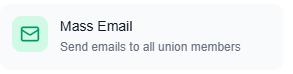
From anywhere in your union's dashboard, look at the top navigation bar and click the Tools button (the shield icon). This opens the mega-menu — a central hub for all of UnionTab's powerful features.
Under the Communications group, click Mass Email.
You'll land on the Emails page, which displays a Mail icon and the subtitle "Send emails to multiple members at once."
At the top of the page, you'll immediately see your Monthly Email Usage card. This shows a progress bar along with key stats: how many emails you've sent this month, your plan's monthly limit, how many remain, and when the counter resets. This is your at-a-glance check to make sure you have enough capacity for your send.
Step 2: Select Your Recipients
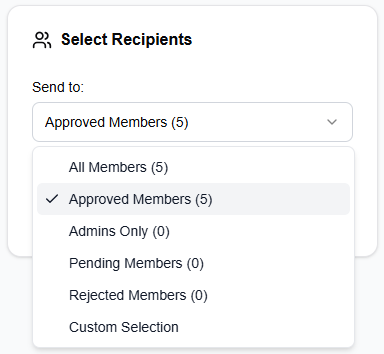
The first card on the page is Select Recipients. Here you'll choose exactly who receives your email.
Use the "Send to:" dropdown to pick from the following options:
- All Members — every member in your local's database, regardless of status
- Approved Members (default) — only members whose membership has been approved
- Admins Only — your executive board and administrators
- Pending Members — members awaiting approval
- Rejected Members — members whose applications were declined
- Custom Selection — hand-pick individual recipients
Once you make your selection, a blue info box appears below the dropdown showing exactly how many recipients are selected — for example, "24 recipients selected."
If you choose Custom Selection, a searchable member table appears with checkboxes beside each member. Each row shows the member's avatar, name, email address, role, and status. You can use Select All or Deselect All to speed things up, search by name or email, and sort columns to find exactly who you need.
Step 3: Compose Your Email
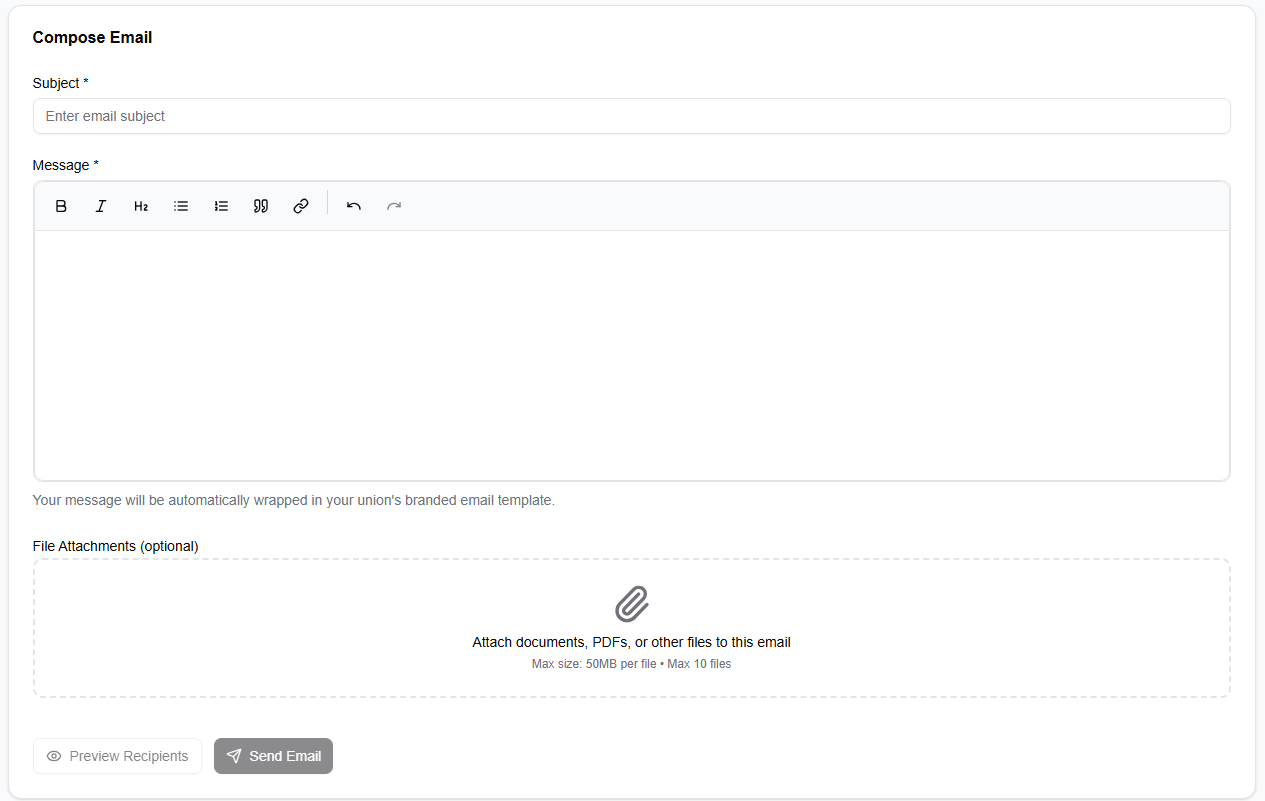
Below the recipient card, you'll find the Compose Email card. This is where you craft your message.
Subject Line
Enter your email subject line in the Subject field. This is required — every email needs a clear subject so members know what it's about before they open it.
Message Body
Use the rich text editor to write and format your message. The toolbar gives you full control over formatting: bold, italic, headers, links, bulleted and numbered lists, and images. Write your message naturally — UnionTab automatically wraps it in your union's branded email template, complete with your logo and colours. No design work needed on your end.
File Attachments
Need to send a collective agreement, meeting minutes, or a flyer? Use the File Attachments area to attach up to 10 files, each up to 50MB. Simply drag and drop files into the upload area or click to browse your computer.
Step 4: Preview and Send
Before you send, take a moment to double-check everything.
Preview Your Recipients
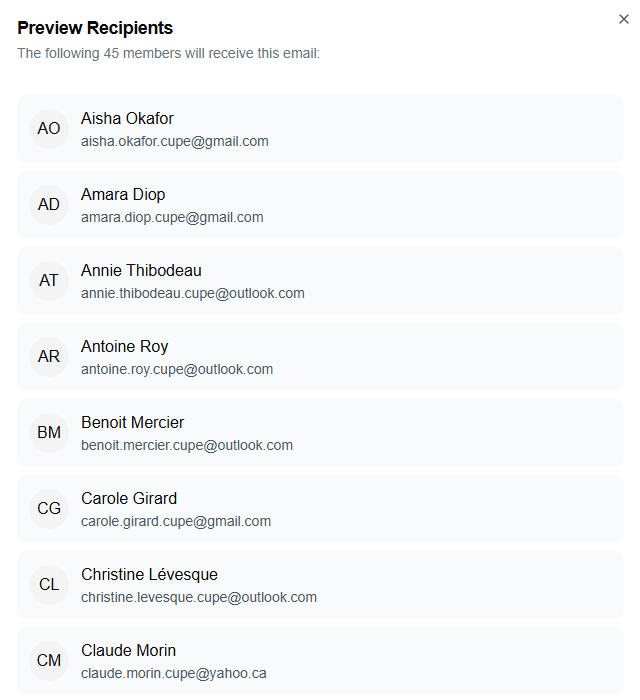
Click the Preview Recipients button (eye icon) to open a dialog showing the complete list of people who will receive your email. Each recipient is displayed with their avatar, full name, email address, and role badge. Scan through the list to verify the right people are included.
Send Your Email
When you're satisfied, click the Send Email button (send icon). A confirmation dialog appears showing your subject line, the number of recipients, and a clear warning: "This action cannot be undone."
Click Send Email in the confirmation dialog to dispatch your message.
After sending, a success alert confirms delivery — for example, "Email sent successfully to 47 of 48 recipients!" Your monthly usage counter updates automatically to reflect the send.
Best Practices for Union Mass Emails
- Keep subject lines clear and concise — members receive a lot of emails. A subject like "Ratification Vote: Thursday at 7 PM" is far more effective than "Important Update."
- Use the "Approved Members" filter for most communications — this ensures you're reaching active, verified members of your local.
- Attach important documents directly — rather than linking to external sites, attach contracts, agendas, or reports right to the email so members have them immediately.
- Check your monthly email usage before large sends — glance at the usage card at the top of the page to make sure you have enough capacity, especially before sending to your full membership.
- Let the branded template do the work — your message is automatically wrapped in a professional template featuring your union's logo and colours. Focus on the content, not the design.
Pro Tip: Automatic Email Sharing
Here's a workflow shortcut many union leaders love: when you create a new news post or schedule a meeting in UnionTab, the platform offers to share it with members via email automatically. It pre-fills the subject and content for you, so all you have to do is select your recipients and hit send. It's the fastest way to keep your membership informed.